For Users
Project-Level Settings
Users can configure Claude Code settings for specific projects via.claude/settings.json in the project directory.
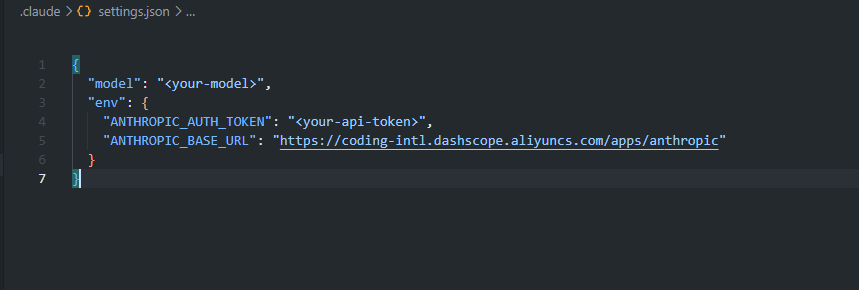
For detailed Claude Code settings, refer to the official documentation.
For Administrators
Global Claude Code Settings
Administrators manage global Claude Code settings via~/.claude/settings.json. This applies to all sessions across the system.
Private AI Agent Configuration
Configure how Private AI uses Claude Code for task execution.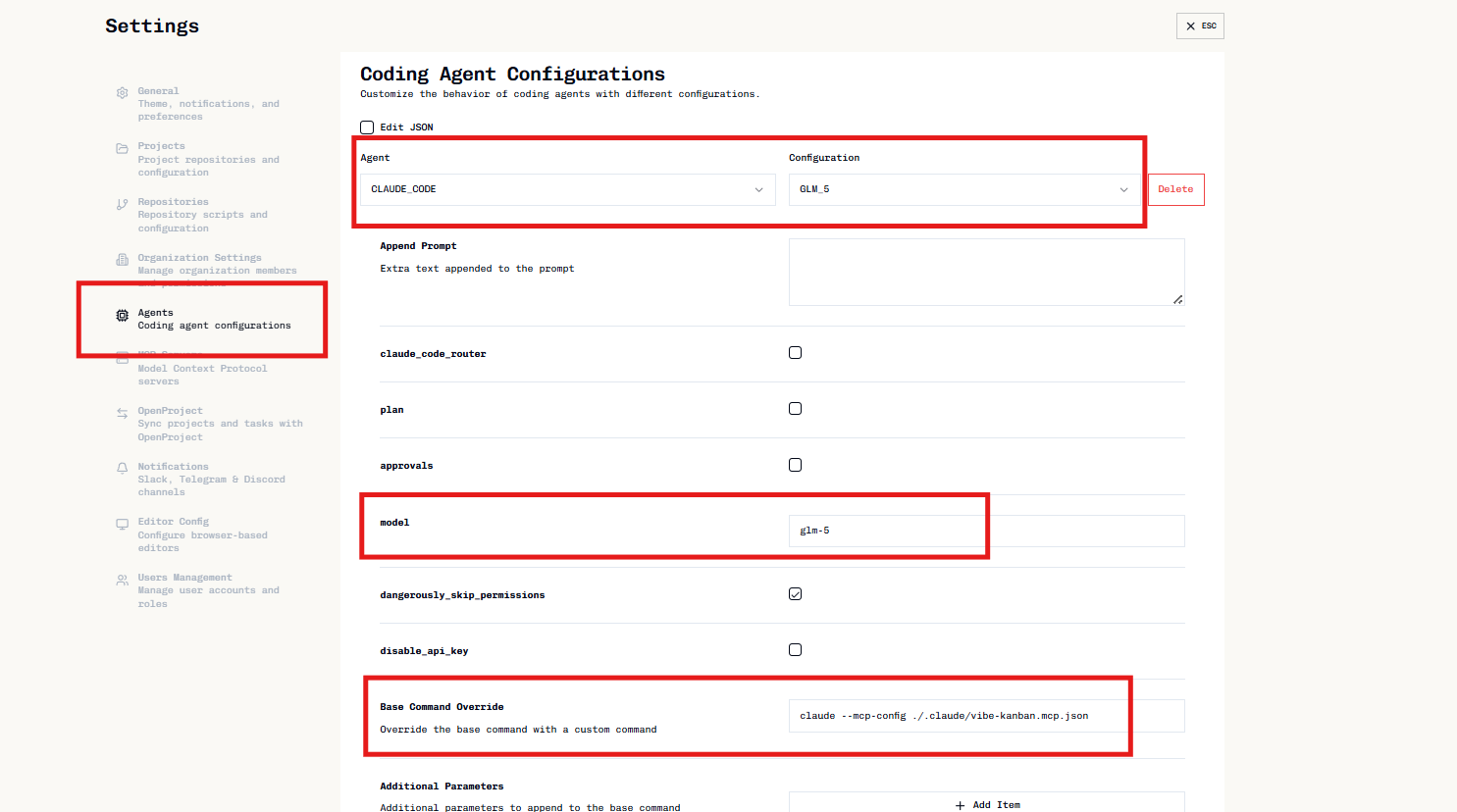
Configuration Fields
| Field | Description |
|---|---|
| Model | Claude model to use (e.g., claude-opus-4-7, claude-sonnet-4-6) |
| Plan | Enable planning mode for complex tasks |
| Dangerously Skip Permissions | Skip permission prompts (use with caution) |
| Base Command Override | Custom command to launch Claude Code |
| Additional Parameters | Extra CLI flags passed to the agent |
| Environment Variables | Key-value pairs set before execution |
Private AI MCP Server
Private AI includes a built-in MCP server for Claude Code integration. This server:- Authenticates local users via session tokens
- Provides task management capabilities to Claude Code
The Private AI MCP server is only supported by Claude Code. Other agents (Cursor, Gemini CLI, etc.) cannot use this integration.
.claude/vibe-kanban.mcp.json file in the worktree with session credentials.
Troubleshooting
Agent not executing tasks
Agent not executing tasks
- Verify Claude Code is installed and accessible
- Check model name is valid
- Ensure API credentials are configured in Claude Code
MCP server not working
MCP server not working
- Confirm using Claude Code (other agents unsupported)
- Check
base_command_overrideis configured correctly - Verify session is active in Private AI
Permission prompts blocking automation
Permission prompts blocking automation
- Use Plan mode for structured execution
- Consider Dangerously Skip Permissions only in isolated environments