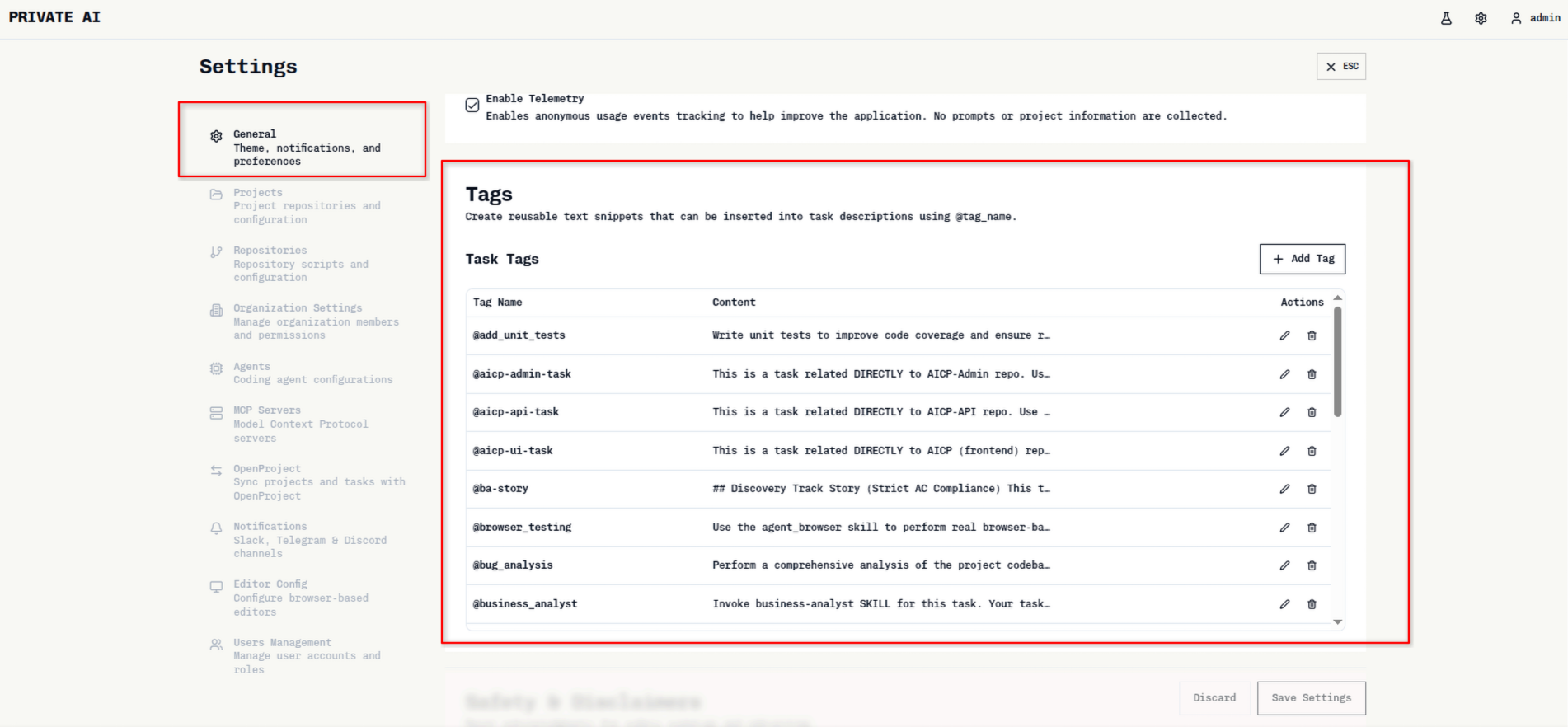
@tag to guide how the agent approaches a task. They reduce repetitive instructions and make outcomes more consistent.
Browser Testing
Tag:@browser_testingRuns real browser-based checks for frontend flows. This is ideal when you need reliable UI validation in a true browser environment. For details and examples, see the dedicated guide: Browser Testing.
Business Analyst
Tag:@business_analystInvokes the Business Analyst skill to surface ambiguities and generate clarifying questions before implementation. Use it to reduce rework and align requirements early.
Cook (Implementation)
Tag:@ck_cookUses the ck_cook skill to execute a feature with a structured, plan-driven workflow. Best when you want implementation to follow an agreed plan.
Plan (Implementation)
Tag:@ck_planUses the ck_plan skill to create an implementation plan. Helps clarify scope, dependencies, and sequencing before building.
Add Unit Tests
Tag:@add_unit_testsFocuses the agent on adding or improving unit tests. Useful for boosting coverage and preventing regressions.
Bug Analysis
Tag:@bug_analysisDirects a systematic investigation of a defect to identify root cause before fixing. This leads to more targeted and reliable fixes.
BA Story
Tag:@ba-storyFrames the task as a Business Analyst story to improve requirement clarity and acceptance criteria quality.
AICP Admin Task
Tag:@aicp-admin-taskScopes the work to the AICP Admin repository and its conventions, keeping the agent focused on the right codebase.
AICP API Task
Tag:@aicp-api-taskTargets the AICP API repository so changes stay aligned with backend conventions and context.
AICP UI Task
Tag:@aicp-ui-taskTargets the AICP UI repository to keep UI work scoped to frontend conventions and assets.
Tags Overview
If you want more information, navigate to Settings -> General -> Tags in Private AI.