OpenProject is an open-source project management system. This integration allows teams to work across both platforms seamlessly.
For Users
Account linking requires administrator access. Contact your administrator to link your Private AI account to OpenProject.
Board Synchronization
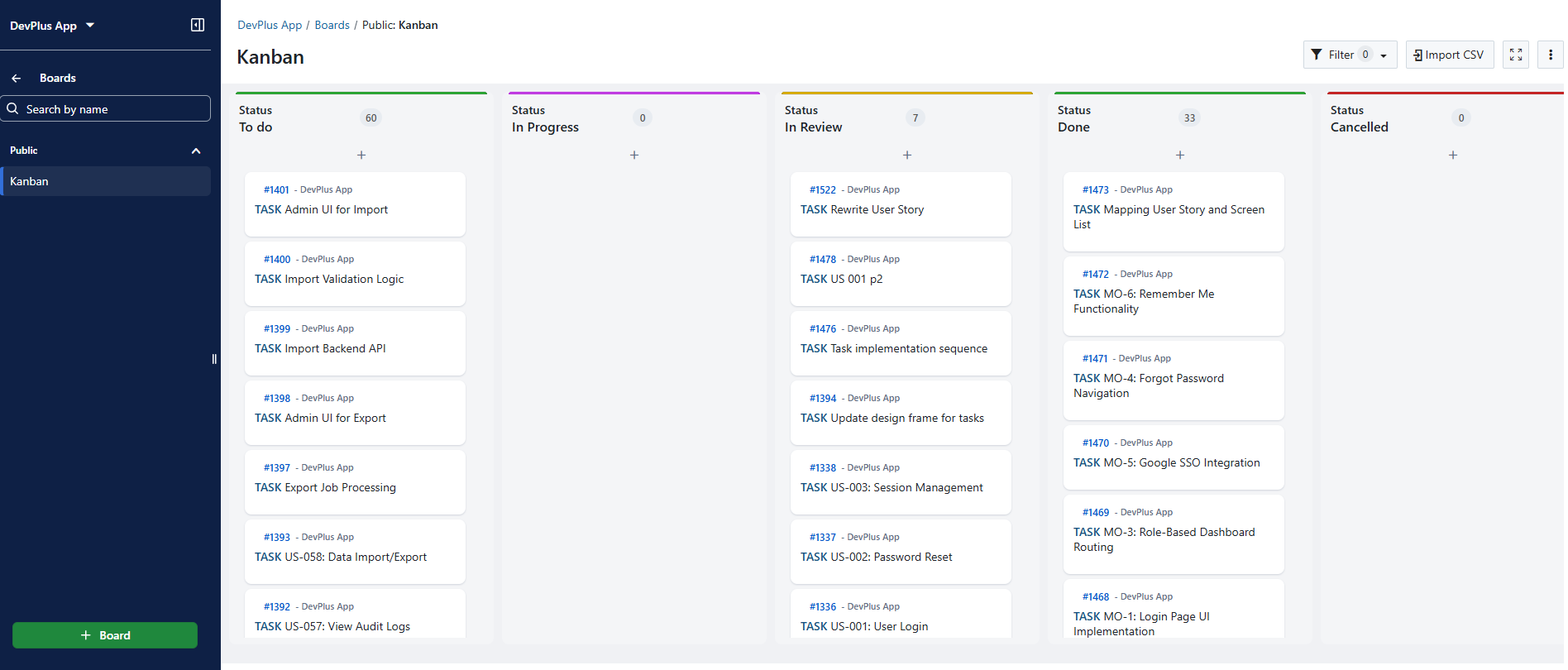
When projects are synced, tasks appear on both boards simultaneously.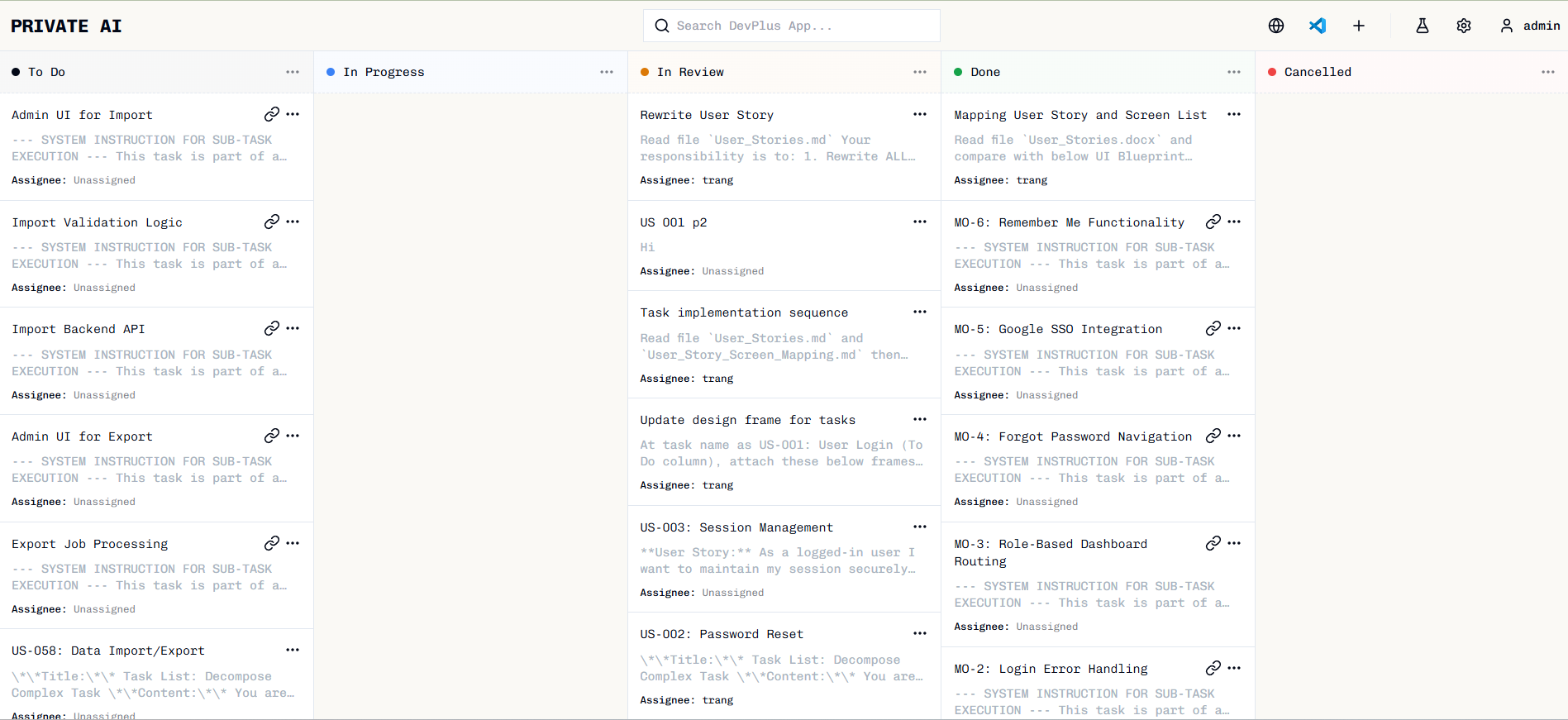
For Administrators
Prerequisites
- OpenProject server running and accessible
- OpenProject API token with appropriate permissions
Configuring Connection
Enter connection details
Provide: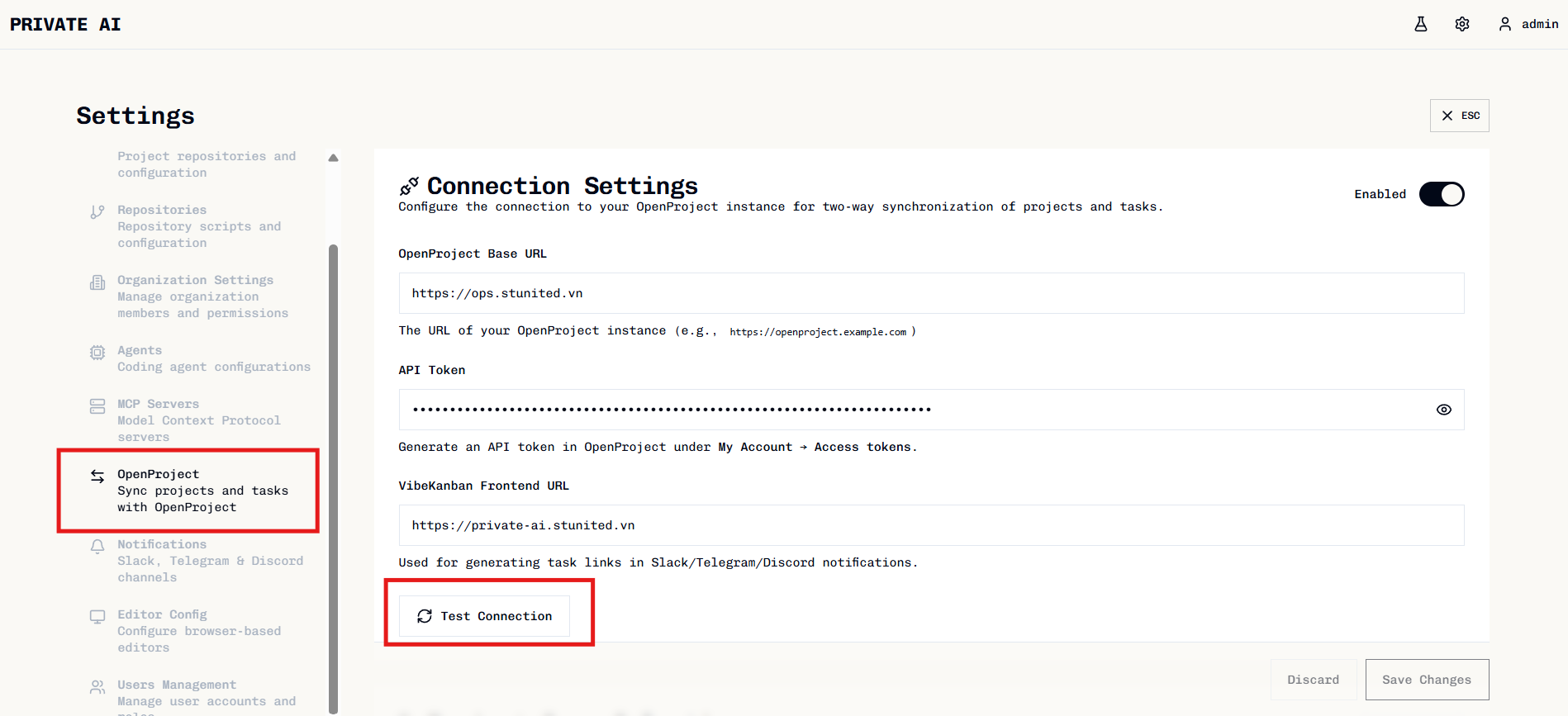
- Base URL: Your OpenProject server URL (e.g.,
https://openproject.example.com) - API Token: Token from your OpenProject account

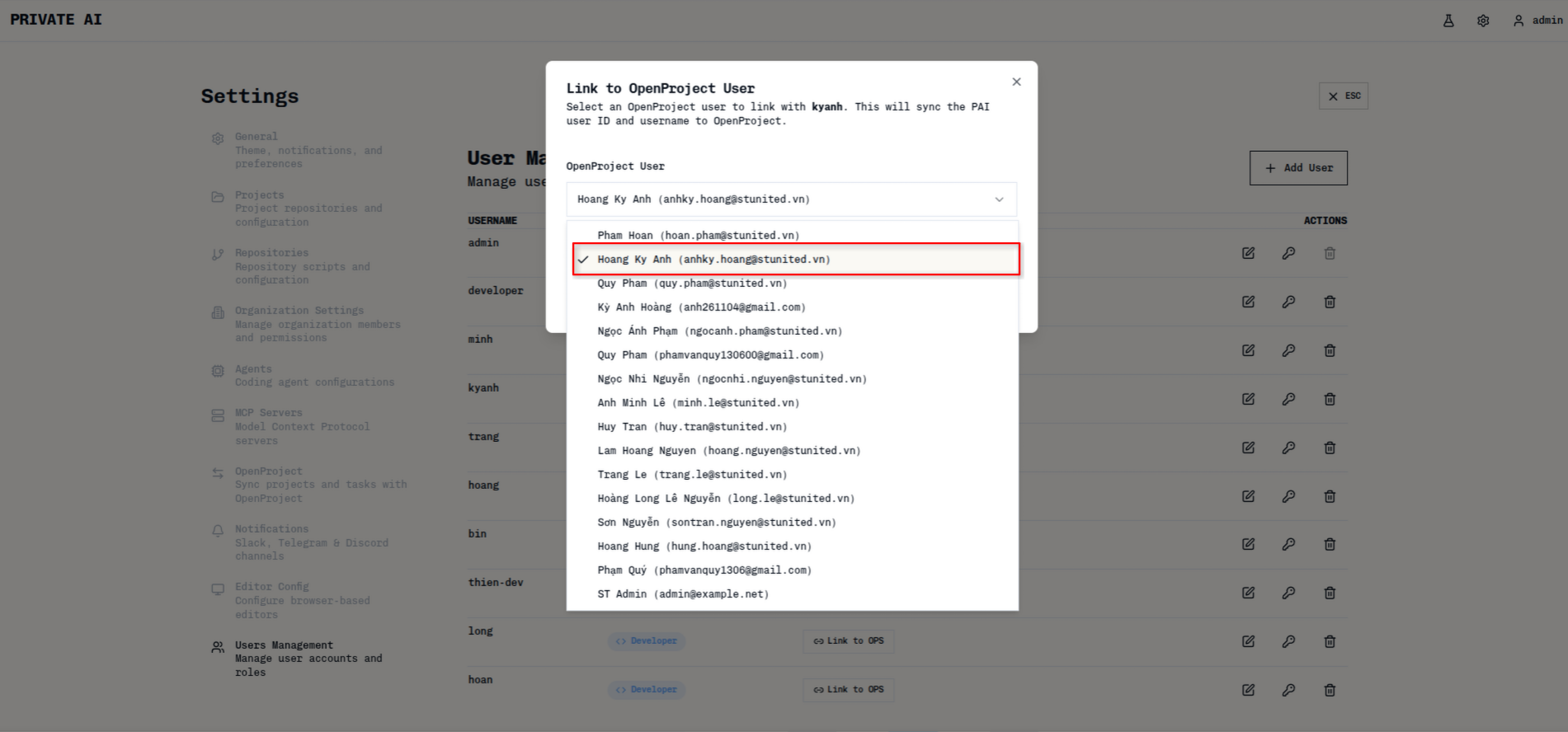
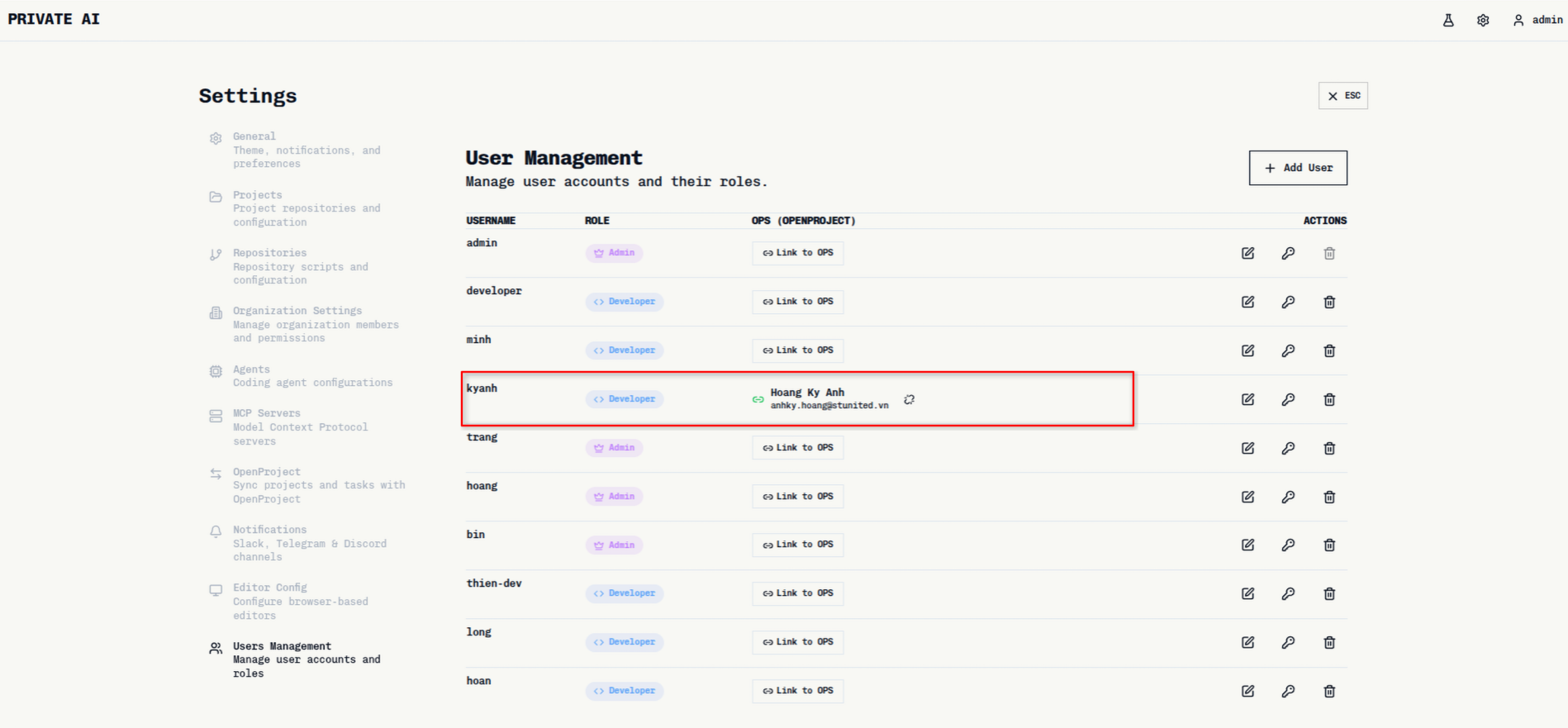
Syncing User Accounts
Link Private AI accounts to OpenProject accounts for proper task attribution.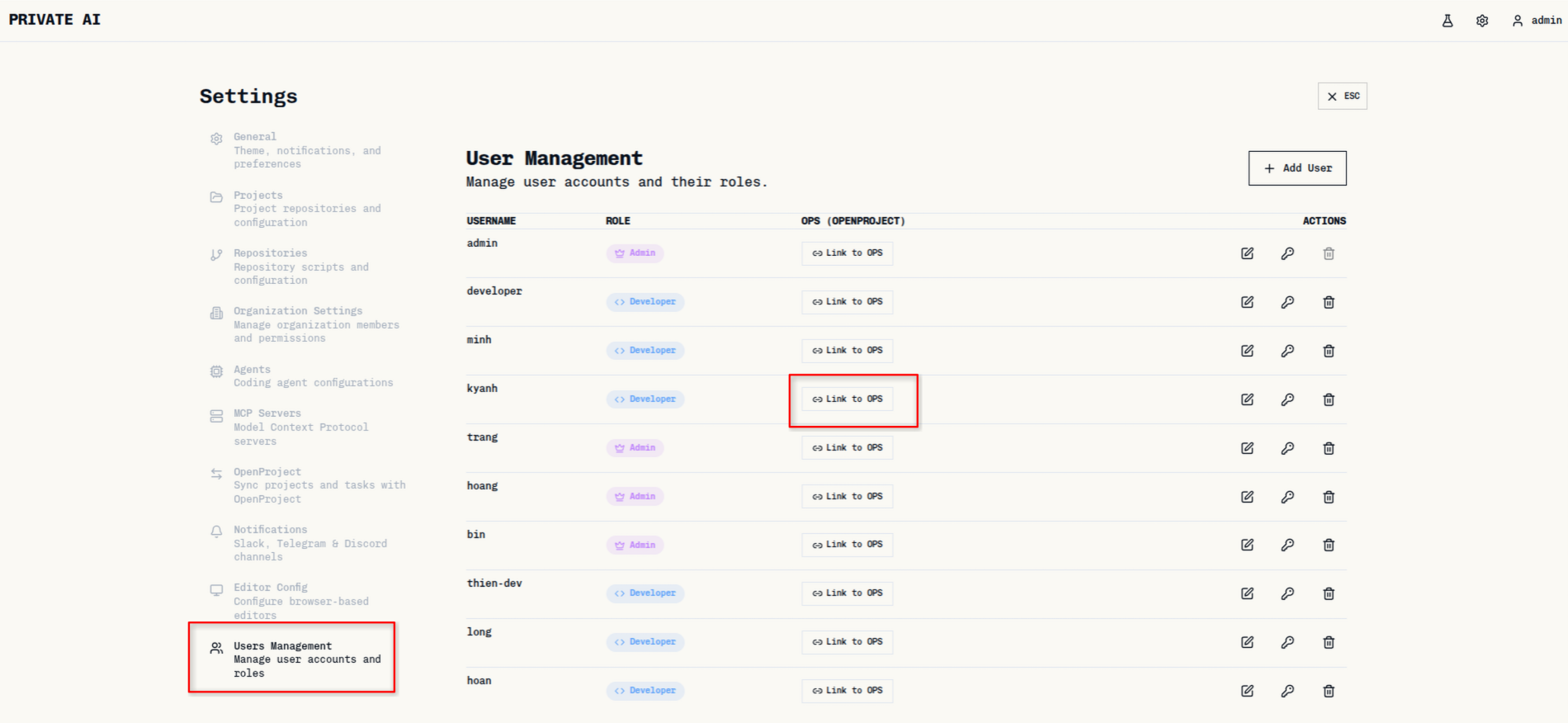
Syncing Projects
Select which Private AI projects to synchronize with OpenProject.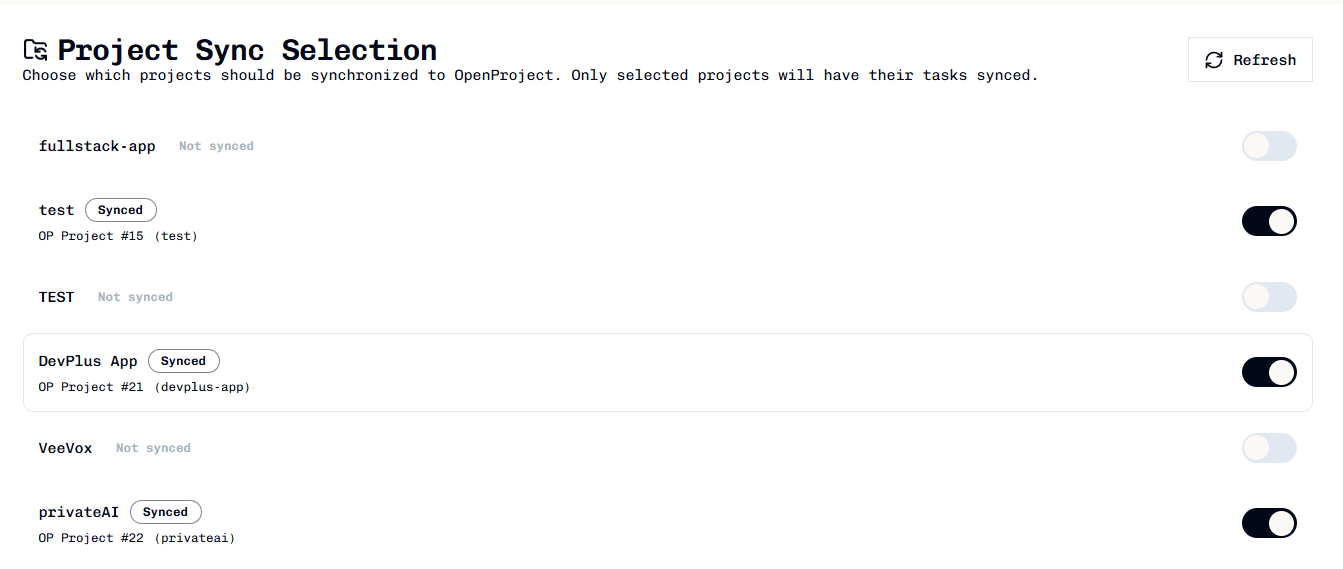
Reverse Sync (OpenProject to Private AI)
To sync an existing OpenProject project to Private AI:- Open the project in OpenProject
- Navigate to the project settings
- Enable Private AI sync
- The project and its tasks appear in Private AI
Reverse sync configuration is done on the OpenProject side. Detailed instructions depend on your OpenProject setup.
Status Mapping
Configure how task statuses map between Private AI and OpenProject columns.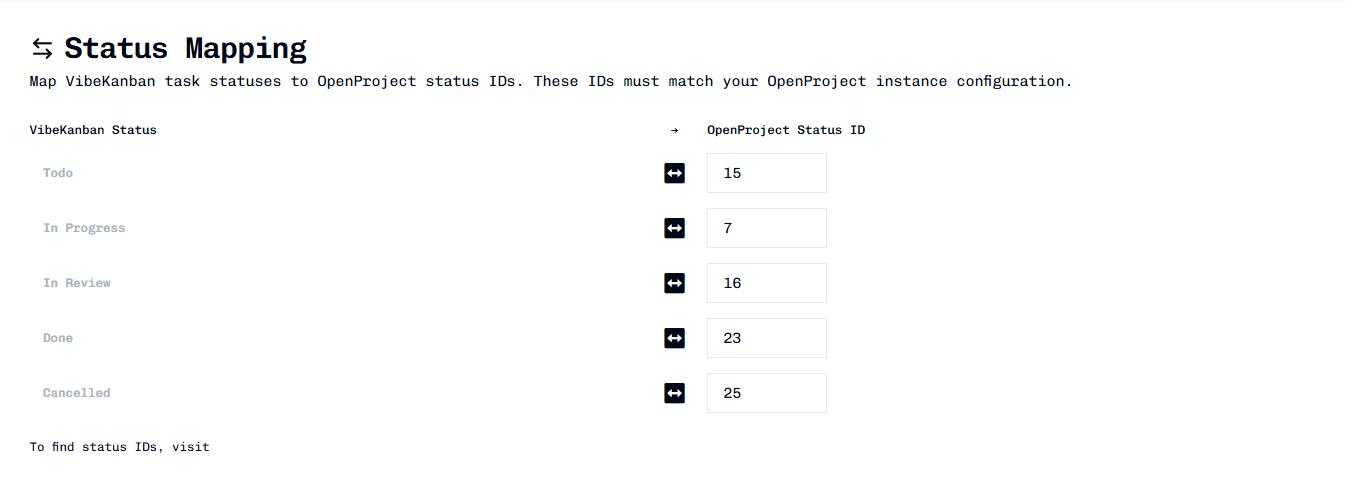
Sync History
View the history of synchronized tasks.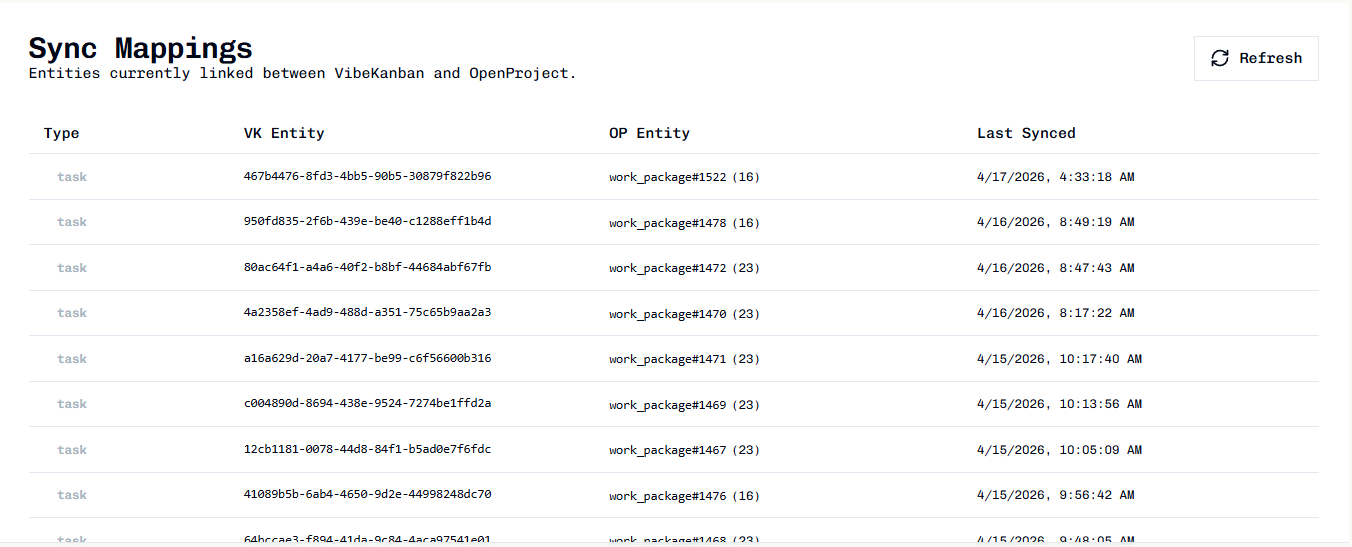
Troubleshooting
Connection test fails
Connection test fails
- Verify Base URL is correct and accessible
- Check API token is valid and not expired
- Ensure network connectivity between Private AI and OpenProject
- Verify API token has required permissions
Tasks not syncing
Tasks not syncing
- Confirm project is synced (check Project Sync page)
- Verify OpenProject sync is enabled in settings
- Check status mapping is configured correctly
- Ensure user accounts are linked
Status mismatch on boards
Status mismatch on boards
- Review status mapping configuration
- Verify OpenProject status IDs are correct
- Check that mapped statuses exist in OpenProject project
Cannot link user
Cannot link user
- Verify user exists in OpenProject
- Check user is active (not locked)
- Ensure user has email configured in OpenProject