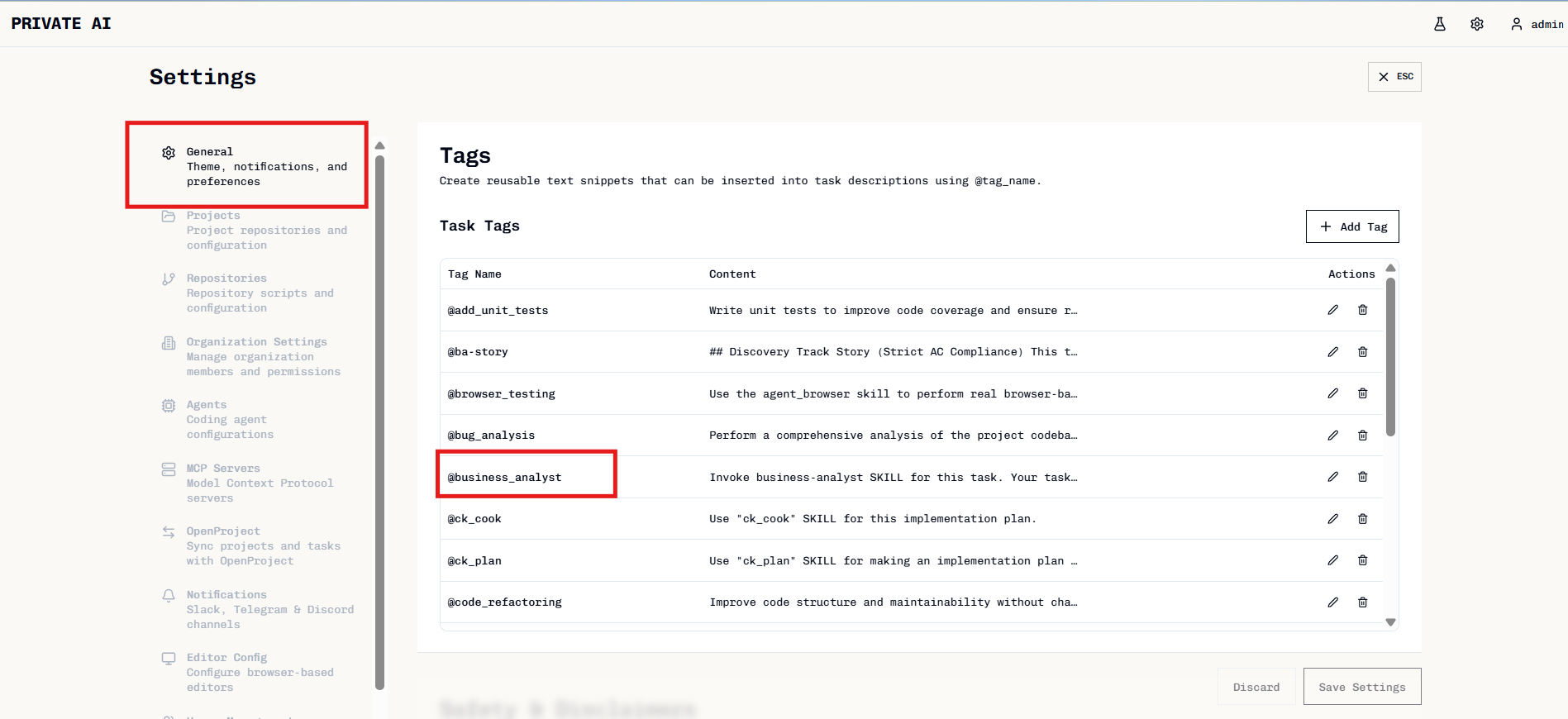
The Business Analyst Agent helps detect ambiguities in requirements and asks clarifying questions before implementation begins.
Use this agent when requirements appear vague, underspecified, or have multiple interpretations. It ensures requirements are clear enough for the development phase.
Using the Agent
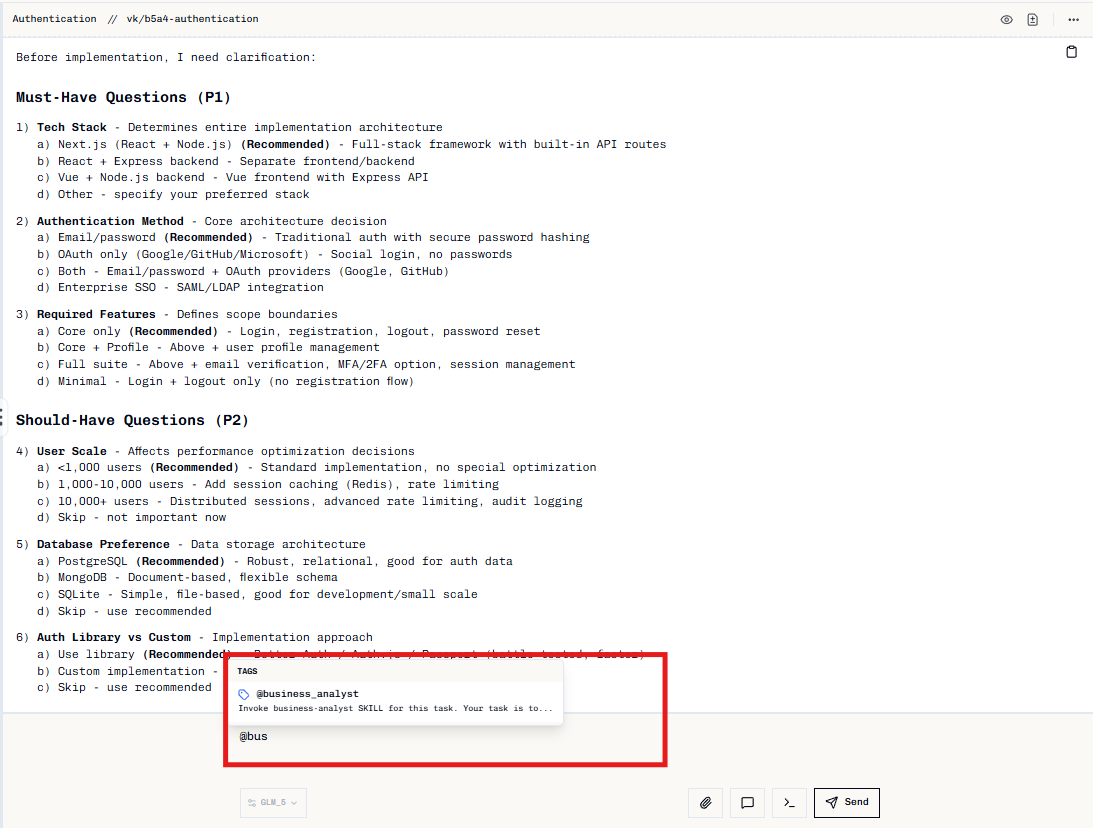
Type @bus and select business-analyst from the tag selector.
Type @bus
Start typing @bus in your prompt to find the agent.
Select business-analyst
Choose the Business Analyst agent from the options.
Provide requirement
Paste your requirement or ticket description after the tag.
How It Works
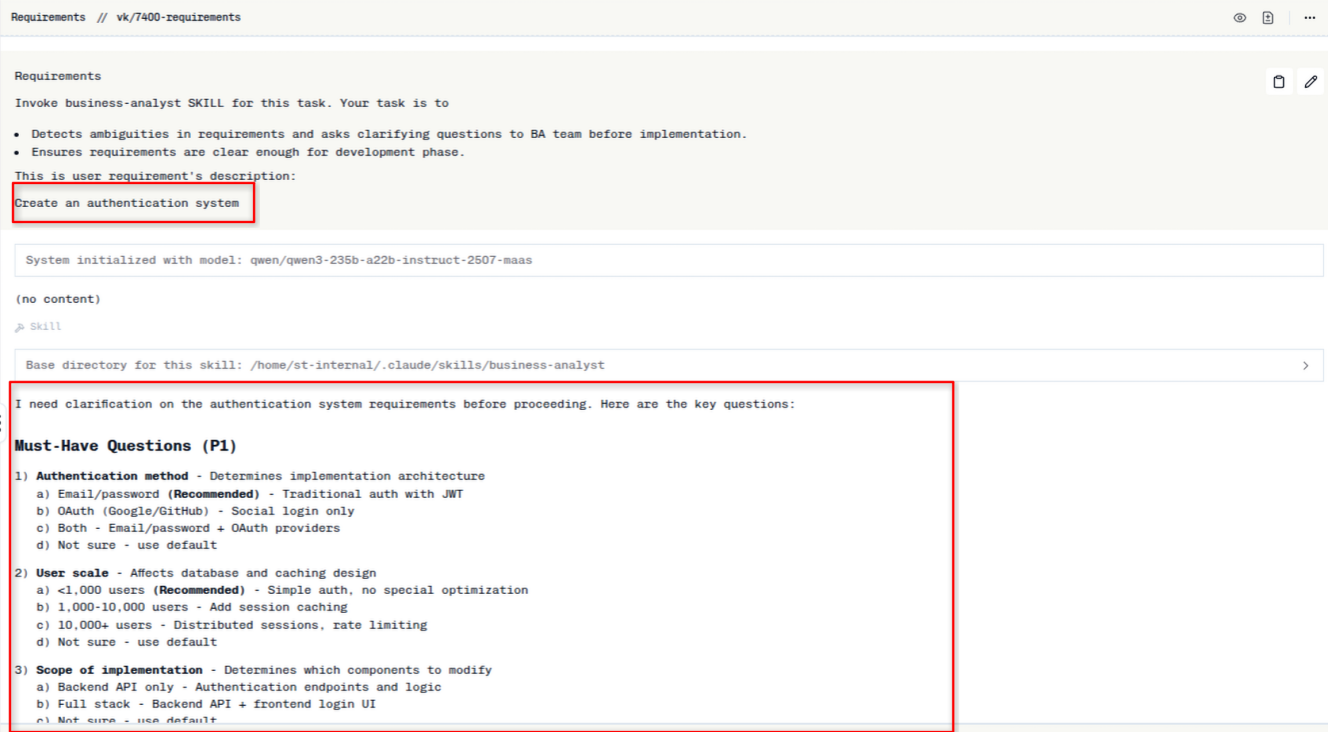
Provide a requirement and review the generated questions:
Questions are organized by priority:
- Must-Have (P1) — Questions that eliminate whole branches of work
- Should-Have (P2) — Questions that reduce rework risk
Reply “defaults” to accept all recommended options, or specify choices like “1a 2b 3c”.
When to Use
Before starting implementation:
@business-analyst
Create a user authentication system for the dashboard. Should support many users and be fast.
@business-analyst
Ticket #123: Add search functionality to the product catalog
@business-analyst
Integrate payment processing with multiple providers
Do not proceed to implementation until must-have questions are answered. If you want to skip, the agent will state assumptions for you to confirm.